Table of Contents ▼
Setting Up My New Laptop
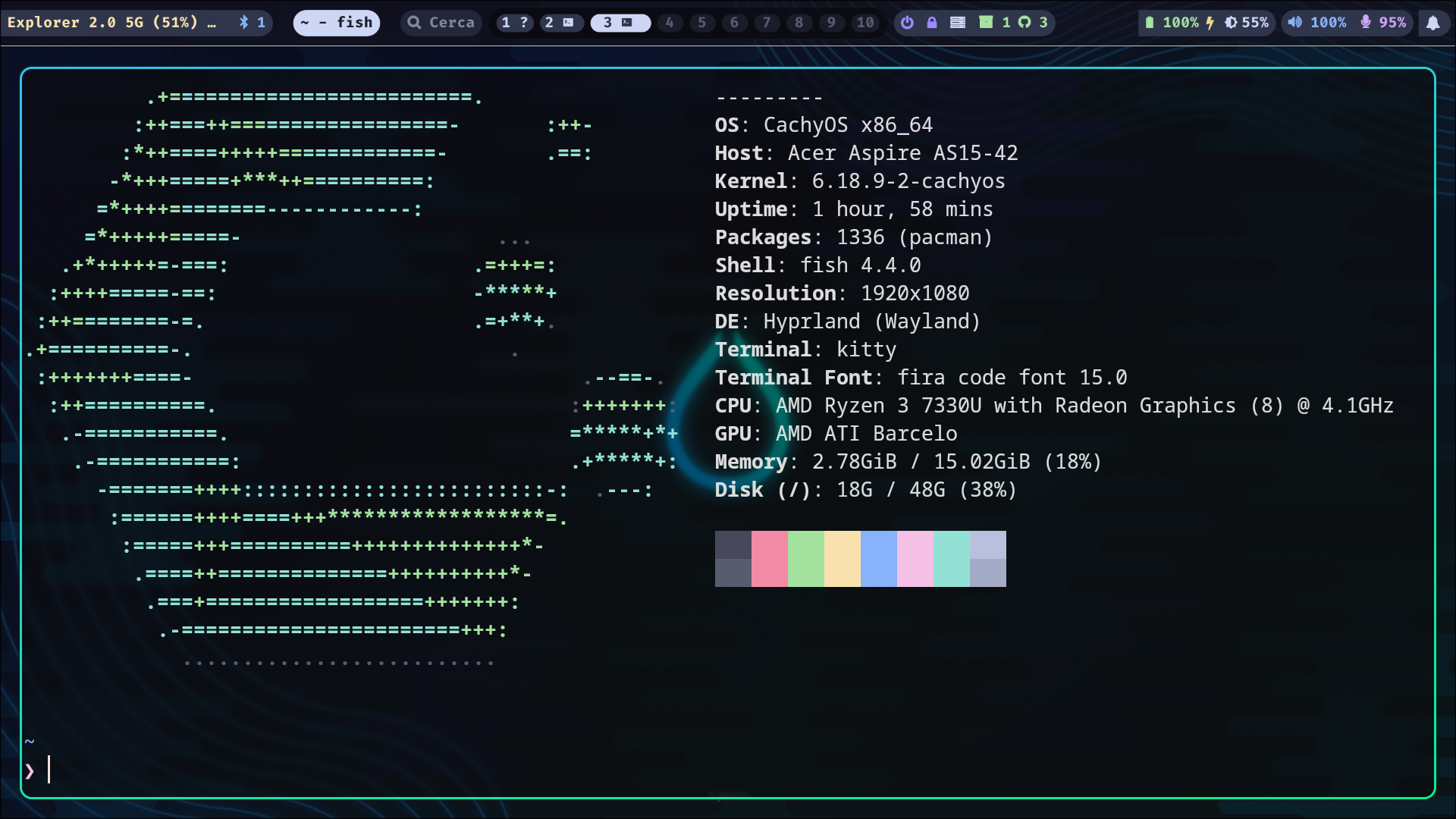
I have bought a new laptop because the old one is broken and it is beyond repair. This new laptop is significantly cheaper than the old one and also does not have the same capabilities as the old one. The specifications for this laptop can be seen in the screenshot below.
Installing linux
On the very first day of getting this laptop, I have downloaded linux ios, namely omarchy, linux mint and fedora. I used ventoy to to make a bootable drive to my 64GB samsung pen drive. I wanted to have a reliable set it and forget it linux desktop, so I went with Linux Mint.
Linux Mint
Experience with linux mint was good but there was few issues that was bothering me. Firstly lack of wayland means i cannot have proper fractional scaling. It significantly looked uglier and pixelated. I then found that mint also has an experimental wayland support, I logged out and logged in. But unfortunately some packages do not work smoothly as I would like it to. Brave browser for example was acting weird.
To Hyprland
I have tried hyprland before and a huge fan of the animations. It feels smooth and the window manager experience is very good. I missed that. I hate how much time I spend on trying to adjust my window size in linux mint. I have wrote a blog post about this before. I know I can use i3 window manager but it looks ugly by default. You have to configure it a lot to make it look any good. Whereas the default look of the hyprland is very pretty. In fact I have not touched the hyprland default look till now, just modified some keybindings. I have also used hyprland in the past, so it would not be something new. But at the same time I was worried about installing less stable version of linux, that is Arch.
Cachy OS
It is one of the hottest new linux distribution right now. When I used hyprland back in 2023, I have never heard of it, maybe it didn’t exist then. It is based on Arch and has option in the installer to download and setup hyprland. I know I can just go with the vanilla arch, but I did not want to spend time trying to configure my linux distribution, when I can spend that time to configure hyprland and be done with it. It does not matter how preconfigured hyprland comes, I would still have to configure it for my own keybinding and to my own liking. Initially I wanted to install omarchy because it is preconfigured and looks like something a linux nerd would use. But unfortunately the creator of this linux distribution is so opinionated, they did not think of manual partitioning. You have you be crazy not to allow manual partitioning for a linux distro that is meant to be installed by people other than you. But then again linux nerds are not really the one to understand normie’s requirements. I always dual boot because you do not know when you would need windows for some specific software, or maybe if linux dies I would still have a os to boot into. Certain softwares that I need for example flashing tools for my phone is not available for linux, so I have to use windows at least sometimes. Since omarchy is off the table I went with cachy os. It was easy to install but being a network based installer it was slower.
First and Second install
In the first install everything was working fine. I installed cosmic desktop environment and hyprland. At first I did some rice to my hyprland setup and it was almost done. Then my monkey brain wanted something more and get the dopamine hit for making his laptop look pretty. I did went to the hyprland rice in reddit and found some recommendations. I tried to install the HYDE dotfiles for hyprland. It should not be suprising to you but yeah it did not install succssfully. There were some conflicts. It was already late at night and I do not want to spend another day trying to mess with my laptop os. So I reinstalled cachy os again. I have my home folder in a different partition so I did not need to worry about losing my files. In this install I went with hyprland and xfce. I need a desktop environment just because even if i do not setup my hyprland I can still modify basic settings. This time I am more careful and ricing slowly one by one. I am not going to run any premade scripts for ricing. Just all one by one by hand.
My Setup So Far
I am using hyprland with waybar. For menu I am using rofi. For passowords I am using keepmenu with rofi. For wallpaper hyprpaper is enough for me. For all the apps and programs I use I would make a useage page later.